
I Built the Experts I Couldn't Afford to Hire
Three AI Tools You Can Adapt to Simulate Any Professional Judgment You’re Missing

Welcome to Words Into Works. Each week, I share how I’m using AI to turn what I already have—copy, meeting transcripts, book highlights—into something I can actually use. If you’re a knowledge worker who’s ever had everything you need but couldn’t pull it together, this newsletter is for you. Paid subscribers get every prompt, Claude Skill, and workflow I build.
Last week, I was in Riverside.fm, scrubbing through episode 1 of Dreem Studio Sessions.
I’ve watched My First Million and Marketing Against the Grain. I’ve studied their pacing, noted their visual rhythm, catalogued their hooks. But staring at my timeline, the thought loop started: “This drags. But where? I don’t know what I’m doing. What does good even look like?”
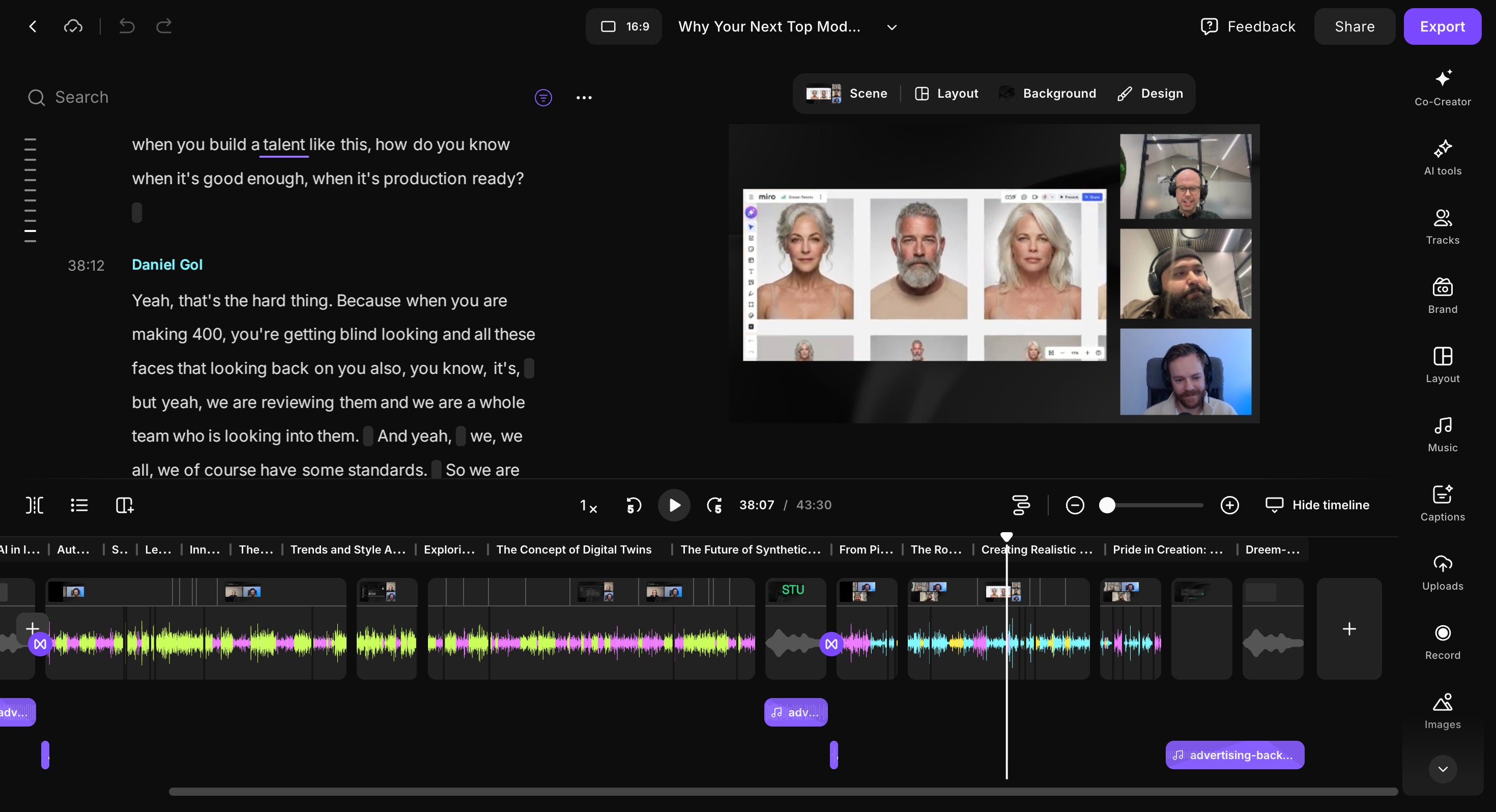
I could see what professionals do—tight cuts at natural breath points, pattern interrupts when energy sags, curiosity-driven titles that promise specific value. But I didn’t understand the decision-making framework behind those choices. Your version might be different.
Maybe you’re designing a deck and can’t tell if the layout reads as “clean” or “amateur.” Writing sales copy and guessing whether the hook will land. Running a meeting and uncertain if you’re wasting time. You’ve studied the examples. You know what good looks like. But when you look at your own work, the judgment evaporates.
Here’s how I closed that gap using AI to simulate the professional judgment I’m still building.
1. Gemini to Get Producer-Level Feedback in 30 Seconds
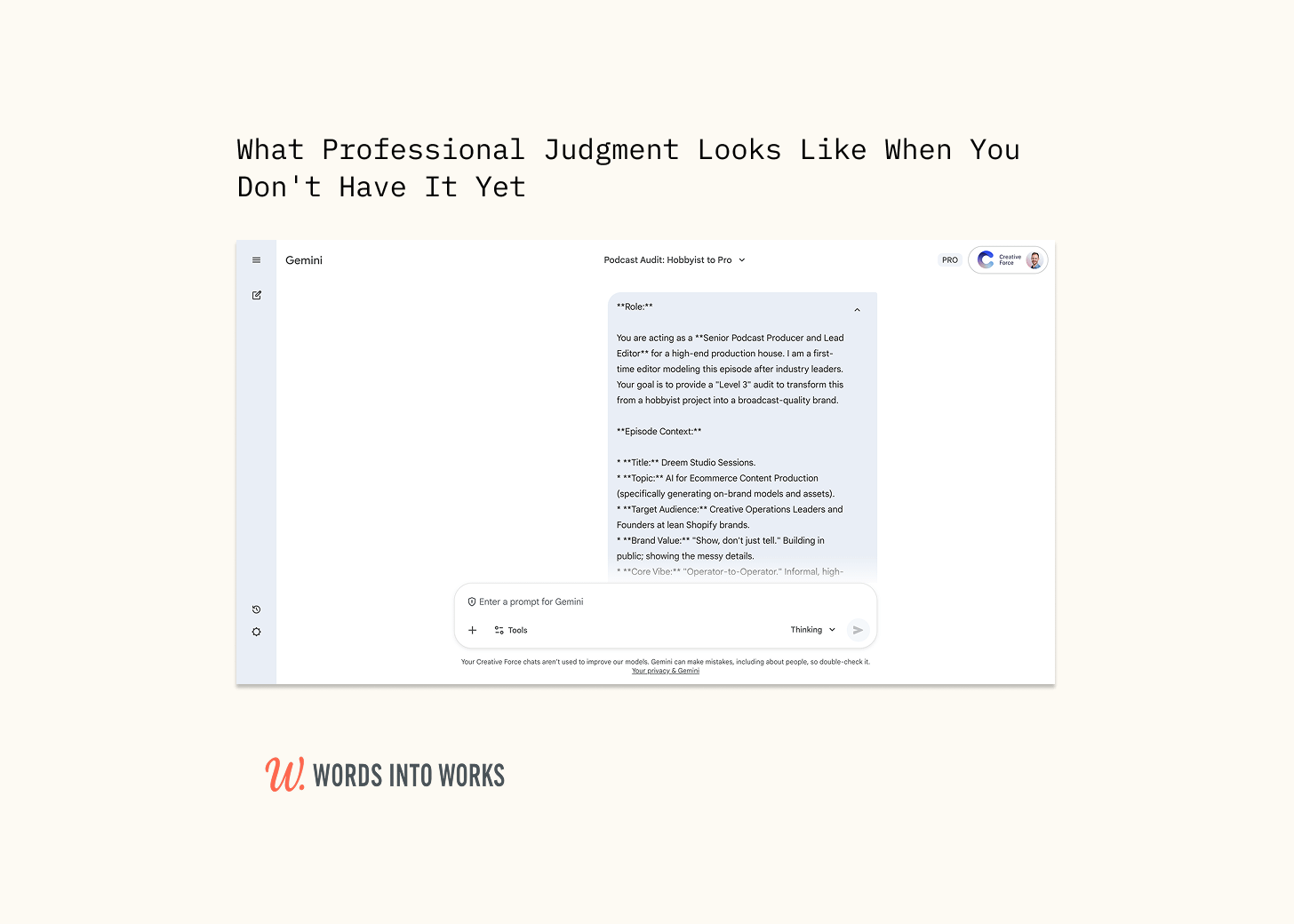
I’m new to podcasting. No producer’s instinct for what to cut or why. The prompt assigns Gemini a specific professional role—a Senior Podcast Producer who’s edited 200+ episodes. Not generic feedback. Domain-specific pattern recognition.
It provides benchmark standards: audit against podcasts like My First Million and Marketing Against the Grain for pacing, visual rhythm, and strategic positioning. Without those reference points, the feedback stays vague.
And finally, it forces timestamped, actionable output.
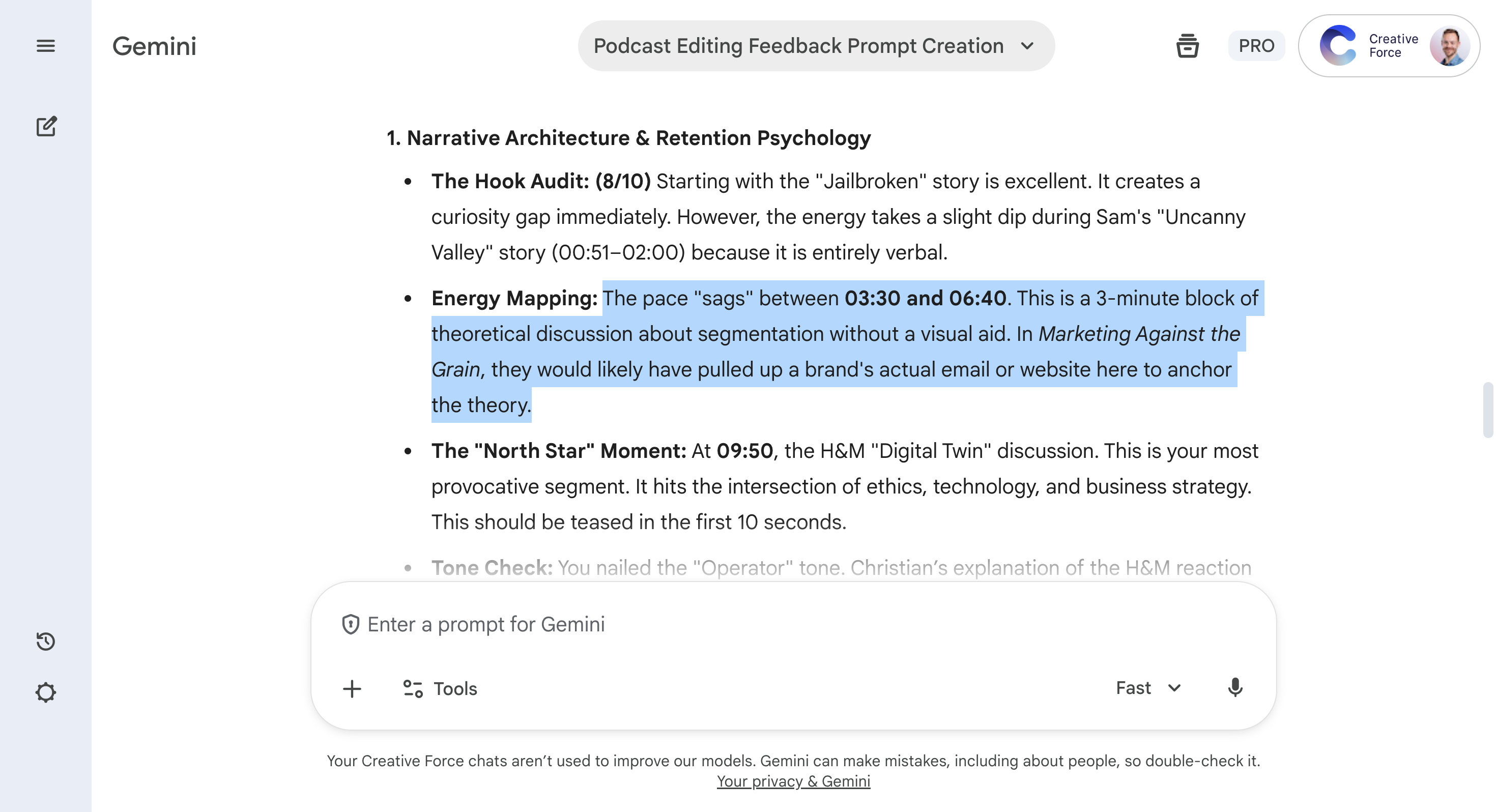
The prompt requires Gemini to identify exact moments where professional judgment would intervene, like “2:47-3:12: pacing sags, tighten transition” or “5:30: visual lull, add pattern interrupt.”
I upload the raw edit, run the prompt. Thirty seconds later: specific technical instructions I can feed directly into Opus to generate visual assets and revised cuts. The shift: from “this drags somewhere” to “cut 15 seconds at 2:47, overlay at 5:30.”
Specific. Actionable. Done.
Next I needed a headline worth clicking.
2. Claude to Write Headline That’ll Drive Clicks
Before the Skill, I’d stare at a finished episode and try headlines based on instinct. “Creating AI Models Without Real People”—too dry. “The Future of Virtual Models”—too vague. “How We’re Using AI for Product Photography”—who cares? I’d cycle through ten options, unable to tell which would perform.
After: “Why Your Next Top Model Shouldn’t Be a Real Person” (Clarity: 22, Curiosity Gap: 24, Searchability: 14, Brand it: 14, Shareability: 11).
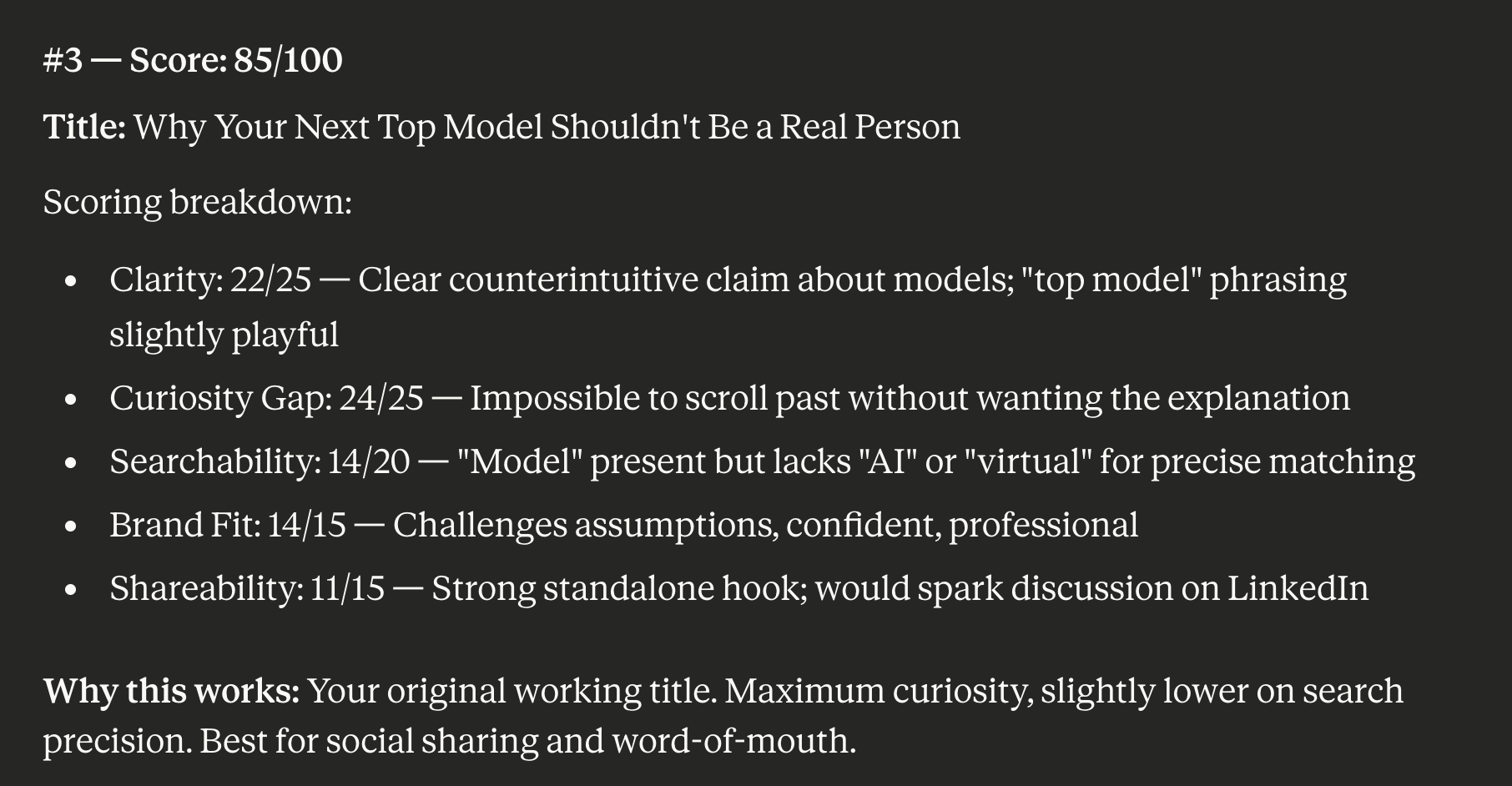
I built a Claude Skill extracts the episode’s core tension, identifies searchable keywords, selects an emotional angle (curiosity outperforms), and scores candidates across five criteria.
I feed Claude the transcript, and three scored options appear. Now I can choose between headlines I know will work instead of guessing between headlines that might. (I’ve written about how I use Claude Skills here and here.)
Editing the episode is half the work. Getting people to watch it is the other half.
3. Gemini + Claude to Turn Clips Into LinkedIn Posts
Claude can’t watch video. Ask it to write a LinkedIn post about a clip and you get generic observations about what podcast content usually looks like. Useless.
Gemini, on the other hand, can watch video. But I’ve trained Claude to write in my voice. The breakthrough was to make Gemini the eyes, Claude the voice.
Here’s what I do:
I upload a clip to Gemini with the facts the post must contain (voice-to-text collapses this from five minutes to 30 seconds). Gemini translates what it sees into a Master Prompt: “At 0:15, the guest leans forward when explaining the cost-cutting breakthrough. At 0:42, visible reaction shot showing surprise.”
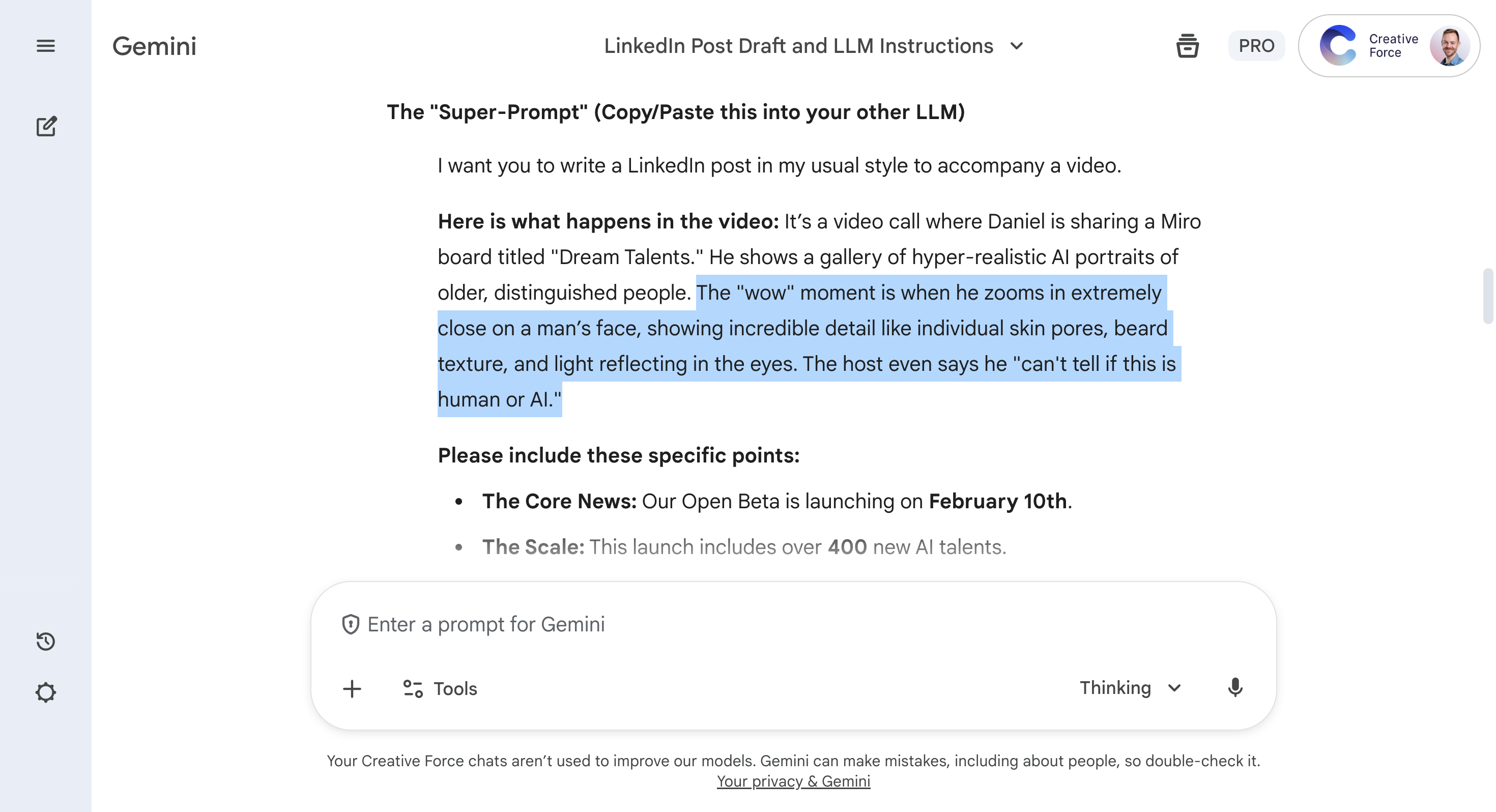
Claude takes that visual breakdown, combines it with my voice patterns from past work, and writes the post. The result references specific moments I never had to describe manually. I make a few tweaks, tag relevant people, and it’s ready. You can see an example here.
Eventually Claude will analyze video natively and this becomes obsolete. Until then, Gemini gives Claude the eyes it needs.
Borrow the Judgement You’re Building
You’re likely not launching a podcast. But you don’t need to wait until you’ve developed professional judgment.
You can borrow it while you’re building it.
The tools transfer: identify the professional judgment you’re missing, then build a prompt that simulates it.
Get all three below:
