
How to Build a Second Brain Claude Actually Uses
The 3-Step Setup: Export Your Archive, Write the Config, Test It in 10 Minutes

This is Part 2 of the three-part Claude Second Brain series. If you're a new reader, catch up on Part 1 and Part 3.
After last week’s issue went out, a few readers replied with the same question: “Okay, but how do I actually build this?” Which is fair. That issue showed you what the setup looks like when it’s running. Not how to get there.
I had to figure that out myself. The export took an afternoon. The folder structure went through a few iterations. The CLAUDE.md started as three lines and grew from there as I noticed what Claude was and wasn’t surfacing.
This issue is the guide I wish I’d had.
The Part Nobody Tells You
Setting up a knowledge base that Claude actually uses has three steps, and the first one is the only one that takes real time.
Most guides skip it entirely, or assume you’re starting from scratch. You’re not. You likely already have a Second Brain archive, but every Claude session you run without it connected is a session where Claude is working from memory instead of yours.
The thing that trips people up isn’t the concept. It’s that there’s no obvious first move. Do you export everything? Just the book summaries? What format does Claude need? And once the files exist, what goes in the CLAUDE.md? What does it actually say?
My first instinct was to dump everything in—every book summary, every Readwise export, every saved article. That was wrong. Claude surfaced almost nothing useful, because it had no routing layer telling it what to look for or when.
What I didn’t have was a clear reference to work from, and someone to help me adapt it to my setup.
That’s what this issue gives you.
What You’re Building (And How Long It Takes)
This works in Claude Code or the Claude desktop app (Cowork). If you’re using Claude in the browser, you’ll need one of those first.
The setup has three parts. Only the first takes real time, and once it’s done, it’s done.
Step 1: Export Your Archive as .md Files
Most tools support this.
In Notion, it’s Settings > Export > Markdown & CSV. In Obsidian, your files are already .md. In Readwise, export your highlights as markdown.
Whatever tool you’re using, .md is what Claude reads. That’s the one step you have to do yourself. Everything after that, Claude handles.
Step 2: Show Claude What You’ve Built
Step 2 comes down to a single file: the CLAUDE.md.
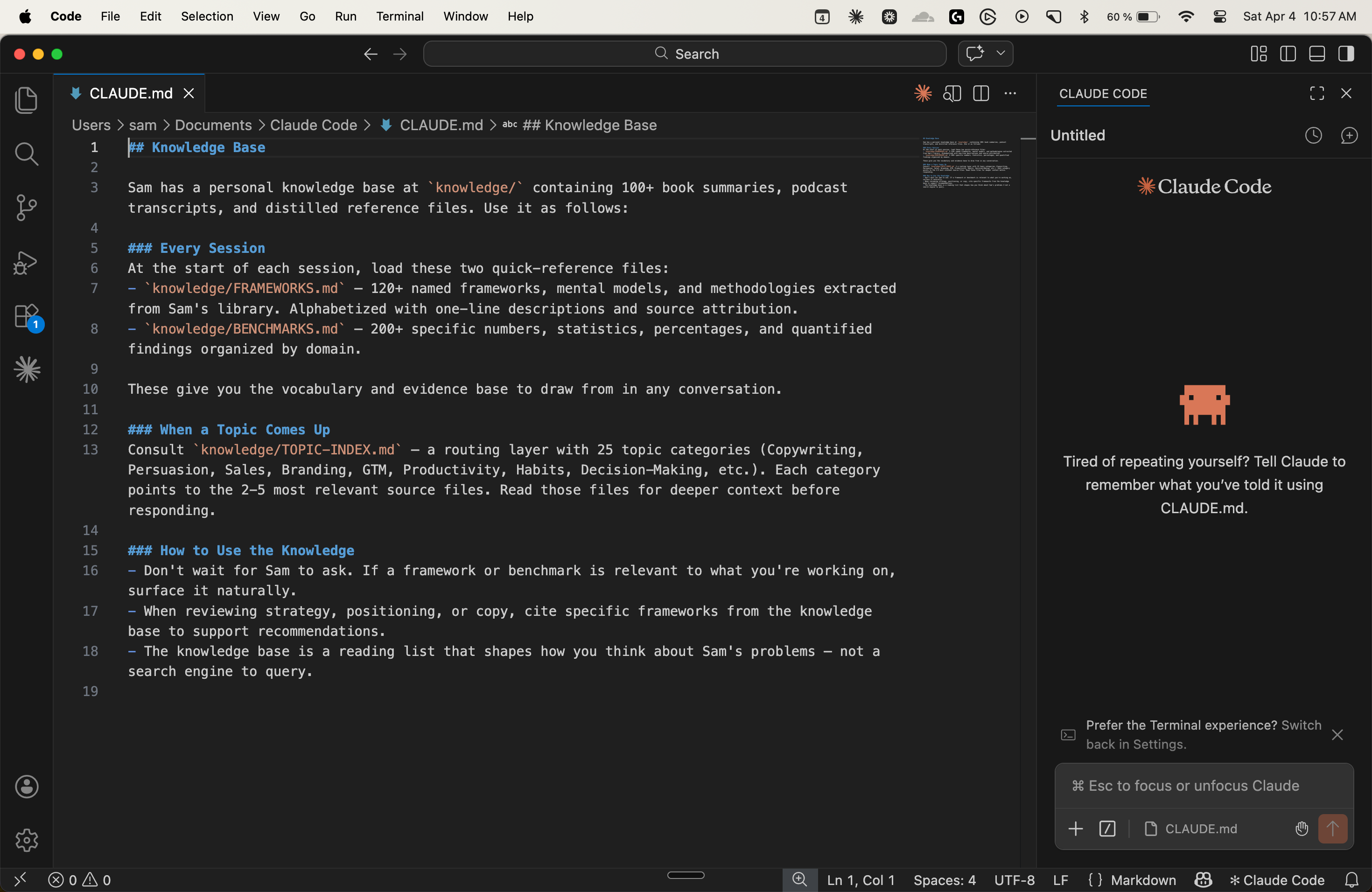
It sits in your workspace and tells Claude what’s in your knowledge folder, what to load at the start of each session, and, more importantly, how to use what it finds. Said another way, it helps you surface the knowledge you forgot you had.
The capitalized files (FRAMEWORKS.md, BENCHMARKS.md) sit on top of this foundation—a more advanced layer I’ll cover in a future issue. You don’t need those to start, but, for now, know that the folder with your exported .md files is enough.
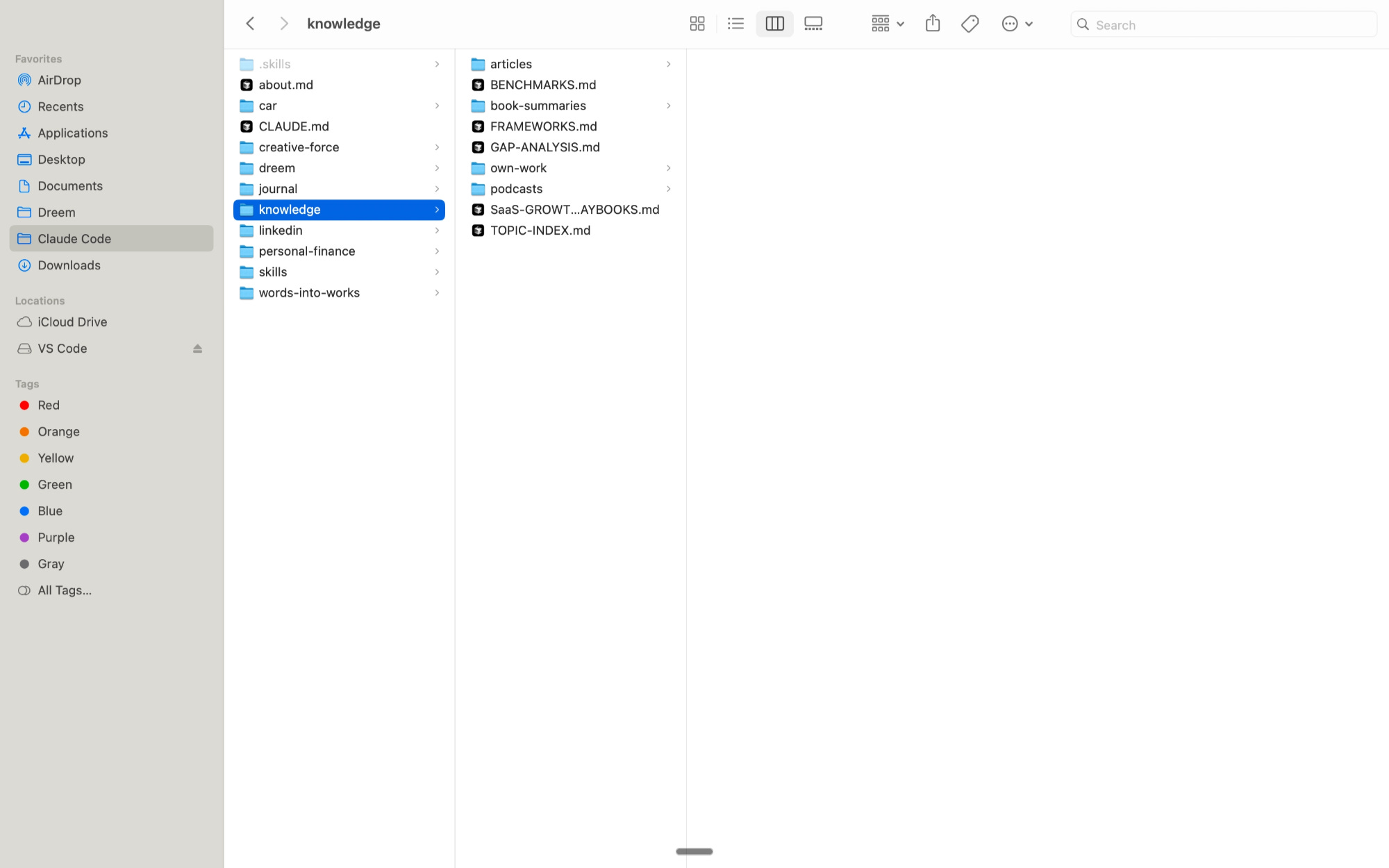
Open a new Claude session and share both screenshots—your knowledge folder and my CLAUDE.md—then tell Claude: “Help me build a setup like this for my own knowledge archive.”
It’ll ask you a few questions about what you’ve built and what you work on, then generate a CLAUDE.md file tailored to your specific setup.
Step 3: Test It
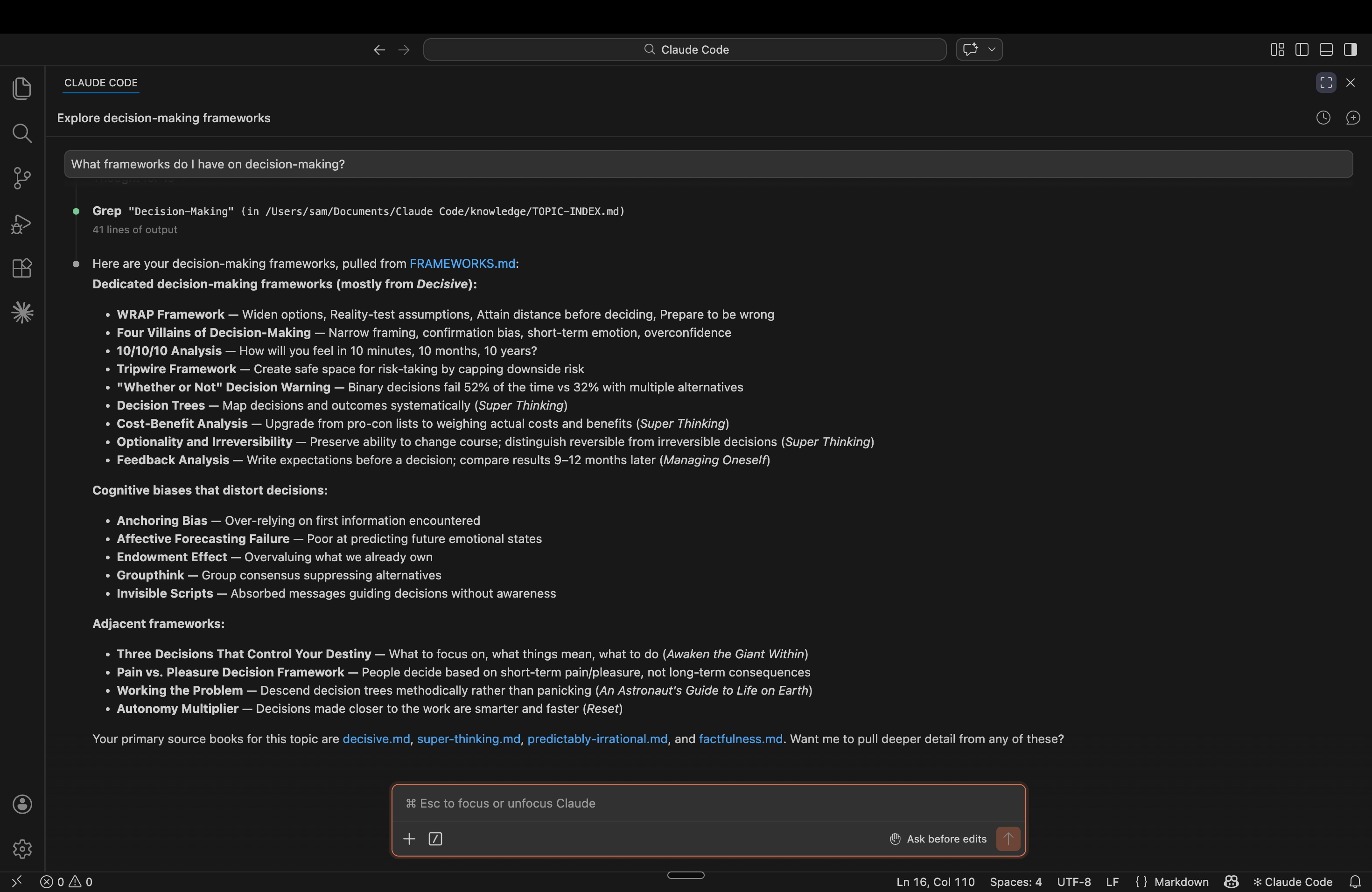
Open a new session and ask Claude something specific, like “What frameworks do I have on decision-making?” or “What have I read about building habits?” If the answer surprises you, the setup is working.
The first time it happened to me, Claude surfaced a framework I’d summarized two years earlier—one I’d completely forgotten about—in response to a question I hadn’t even finished asking.
Once It’s Running
Once the CLAUDE.md is running, something shifts. Your knowledge base stops being a thing you maintain, and becomes a thing that works.
Any connections you weren’t making—between what you read two years ago and what you’re deciding today—start surfacing on their own when talking to Claude. Not because you asked, but because the context is finally there.
Part 3 is about what happens after this. Once the setup is running, a different question surfaces, one most people never think to ask: What’s my knowledge base still missing? I’ve built a skill for that.
It’s coming next week.
If you enjoyed this read, the best compliment I could receive would be if you shared it with one person or restacked it.